Team effects, effect filters and Chimera challenges
See what your team brings before you press Run, find the Champions that bring what is missing, and pick Chimera challenges straight from the game's own data.
Every effect your team brings, at a glance
Under your team you now see every buff, debuff and action a team can bring: 80 in all, from Increase ATK to Revive and Turn Meter up. They start grey. Add a Champion and the effects their skills bring light up, using the game's own status icons.
Hover or focus any icon to see what it does, how strong it can be and who in your team brings it. For example, Decrease DEF shows 30% or 60% and the Champions that place each one.
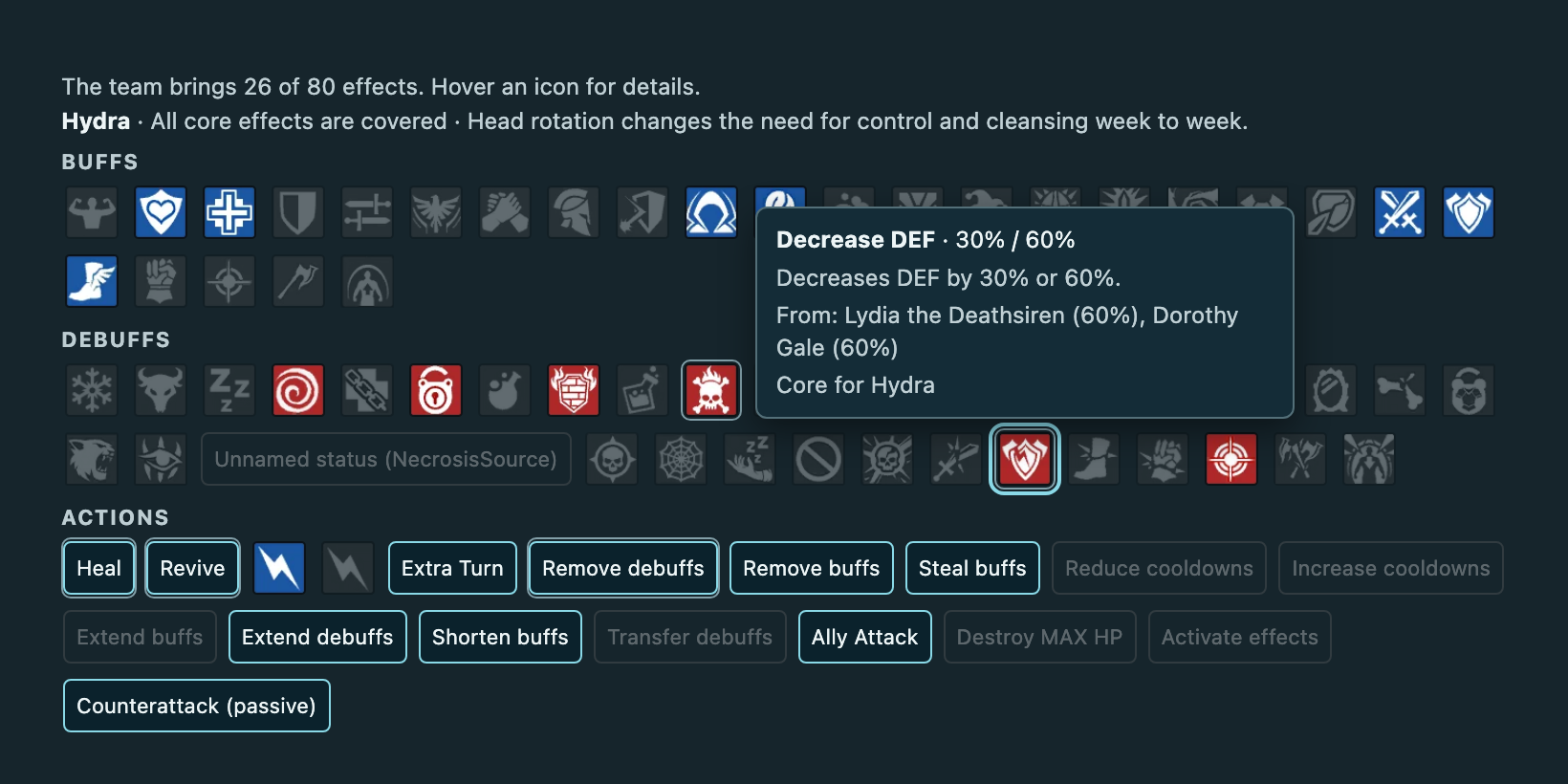
For Demon Lord, Hydra and Chimera, SimCraft also marks a short list of core effects and names the ones your team is missing. These lists name effects, never Champions: any Champion that brings the effect counts. They are an early draft and will improve.
Find Champions by effect
Need Poison and Decrease SPD? Press those icons in Filter by effect, and the roster shows only the Champions whose skills bring every selected effect. Switch to any selected effect to widen the search.
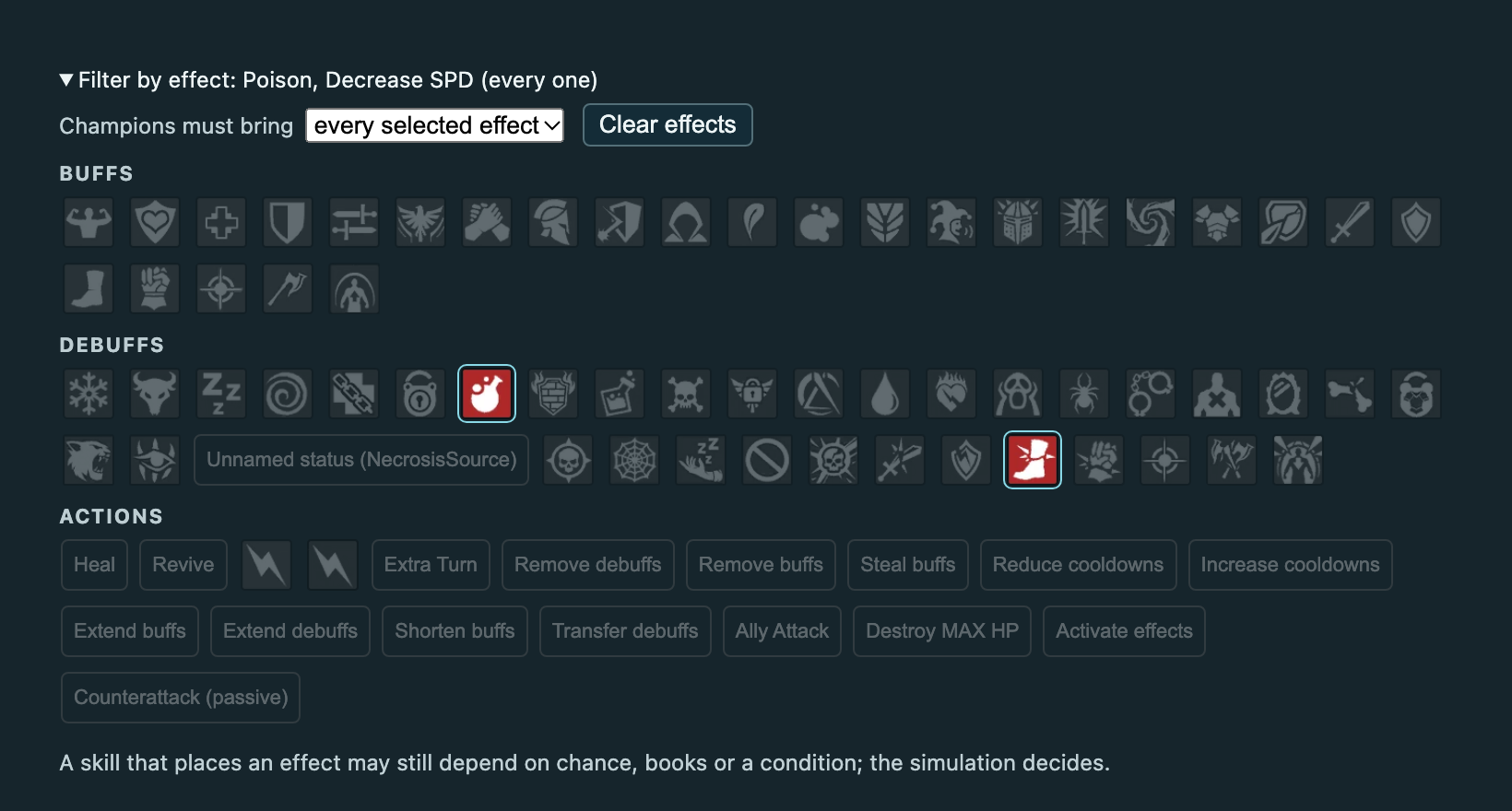
- The filter also works in Replacement pool, so a Pool only holds candidates that bring what the team needs.
- In the desktop app, Keep only Champions that pass the effect filter narrows the complete search pool in one click, without undoing Champions you removed by hand.
- Your team and the candidates you already chose always stay visible.
- If SimCraft has no skill data for a Champion, the filter names them instead of silently hiding or keeping them.
Chimera challenges, from the game
Choose a Chimera stage and SimCraft lists its challenges: three forms, three steps each, for the left, middle or right week. The text is the game's own, with the numbers for your difficulty, and each challenge shows the effects the game counts for it.
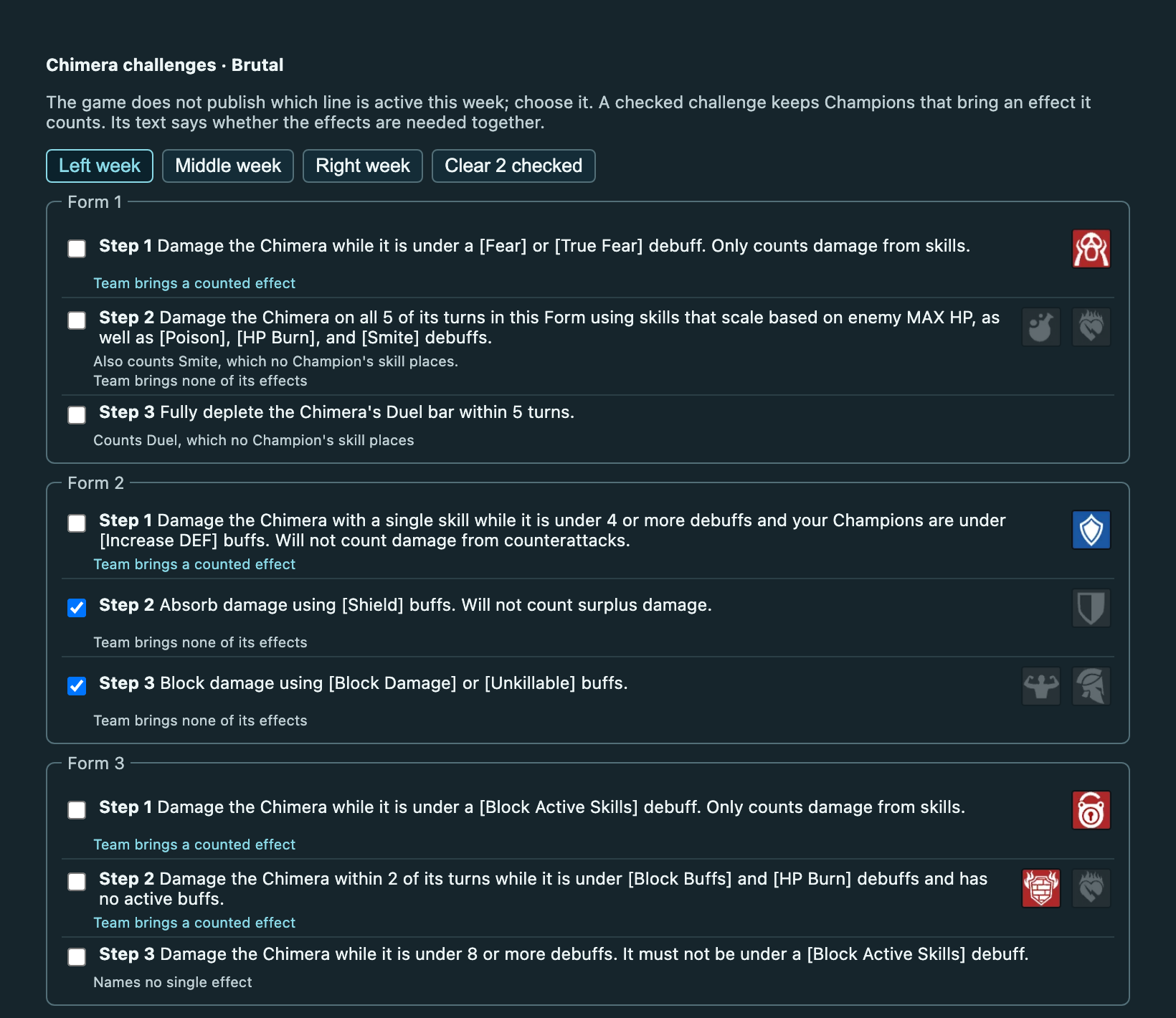
Check a challenge and the roster keeps the Champions that bring at least one effect it counts. Check Absorb damage using Shield buffs, for instance, and you see your Shield Champions. Under each challenge SimCraft tells you whether your current team already brings a counted effect.
The game does not publish which line is active this week, so you pick it. Some challenges need several effects together; the challenge text says when. Checks reset when you change stage.
Where the data comes from
Every effect comes from the skill data of the game version SimCraft runs, including Champions added in the latest patch. The icons come from the game itself. If a skill contains an effect SimCraft cannot name yet, we fix the data before release instead of quietly leaving it out. Descriptions follow Plarium's own list of buffs and debuffs.
What it does not decide
A lit icon means a Champion's skills can place that effect. It may depend on a chance, books or a condition. Whether a team actually clears a challenge or wins a fight is still decided by the simulation, battle by battle.
Run SimCraft