



macOS
Apple Silicon · 0.1845.0
Download for Mac Alpha build · Not notarized · SHA-256Your account. Your team. Your next move.
Simulate RAID battles with your own Champions.
Try Masteries, Blessings and Skill priorities before changing your build in game.
Apple Silicon · 0.1845.0
Download for Mac Alpha build · Not notarized · SHA-256Existing account exports remain supported when their combat data is complete. Update the exporter and read your account again if equipment could not be resolved.
Would this team work? Import your account and choose your Champions. Test a different Tier 6 Mastery, Blessing or Skill priority. Run the simulation, then read your team’s wins, turn counts and damage breakdown. Try it at scrt.servernux.com.
Download the exporter, read your RAID account and copy its account string. Paste that string into SimCraft after signing in.
Choose an encounter and difficulty, fill the team slots, and set your build options. Start with fewer battles for a quicker test.
Check the result and each Champion’s contribution. Change one choice, run again, and compare the reports.
Set the difficulty and affinity, pick your leader, then adjust each Champion’s Build and Skills.
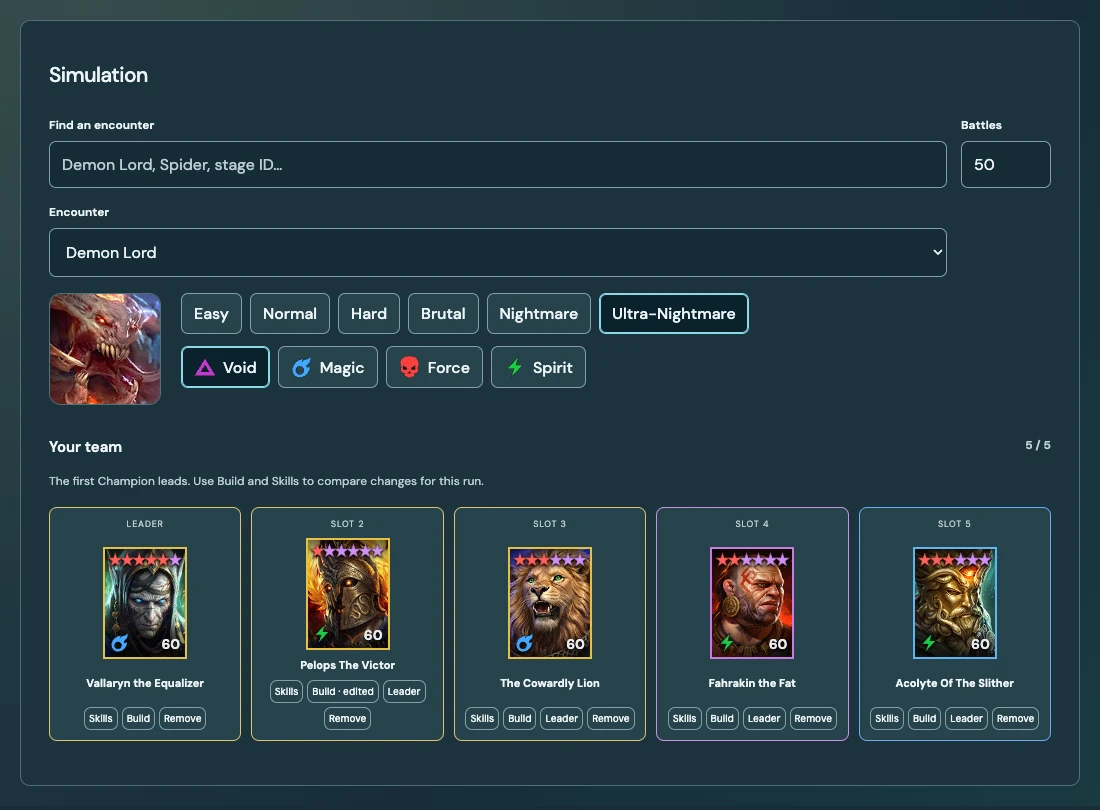
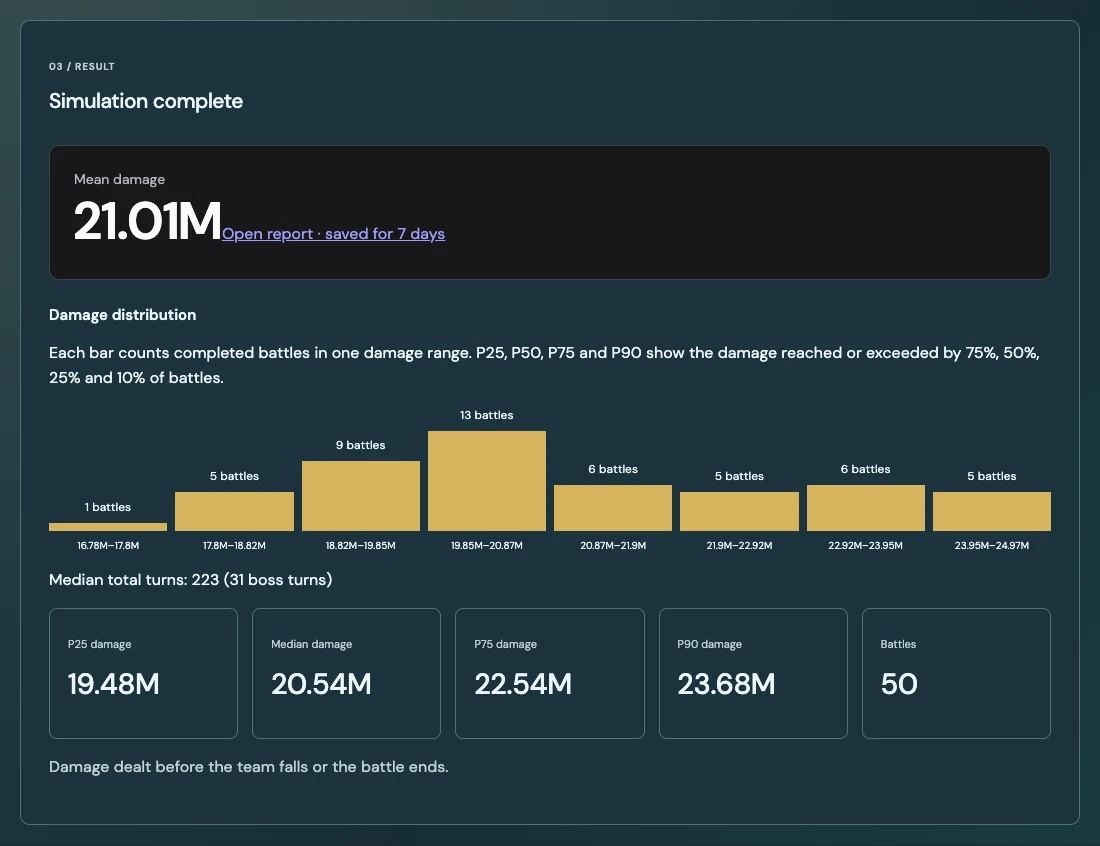
Demon Lord · Ultra-Nightmare · Void · 50 battles. Inspect the damage distribution and total turns.
Spirit Keep · Stage 10 · 20 battles. See how often the team clears and how many turns it takes.
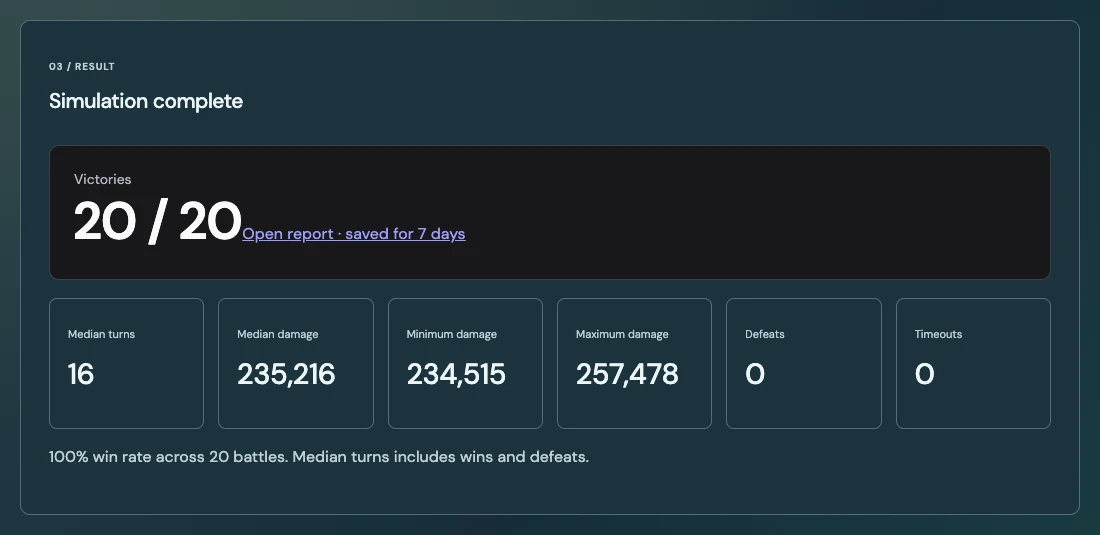
Screenshots from saved simulations. These results describe the pictured teams and samples; they are not a guarantee for another account. Select an image to view it full size.
New in this update
Try build changes in the simulator. Your in-game account stays as it is.
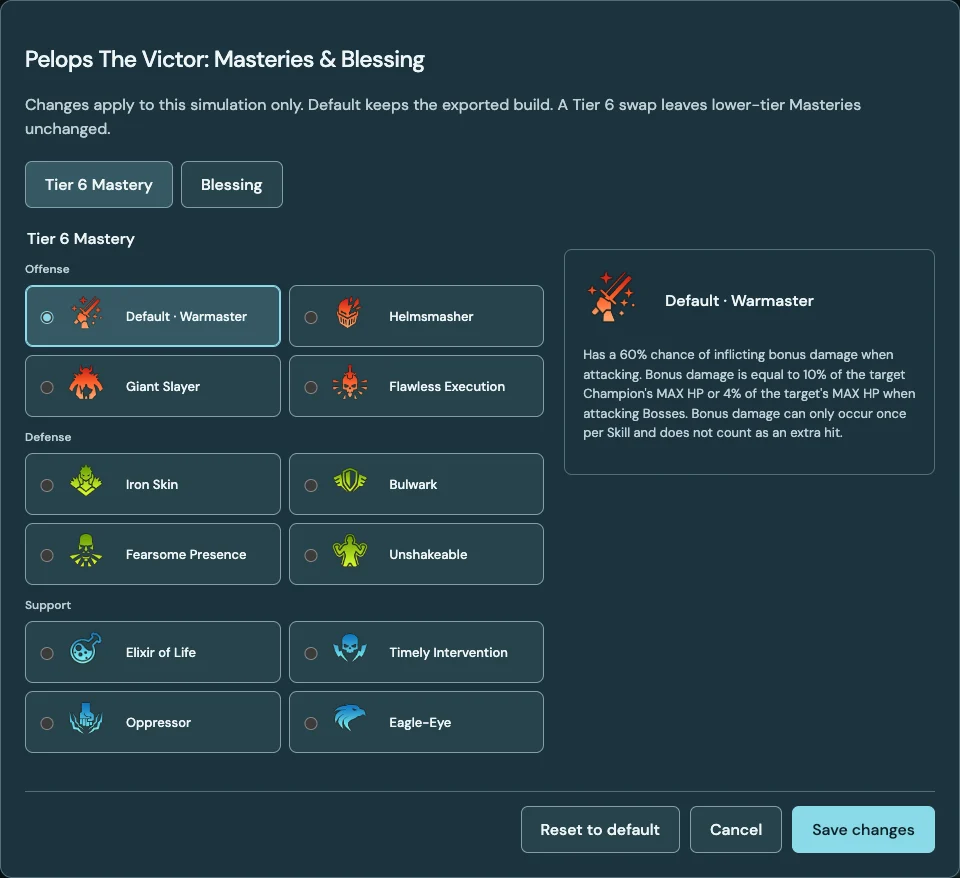
Masteries & Blessings
Swap an existing Tier 6 Mastery for another final-row choice. Lower-tier Masteries stay unchanged.
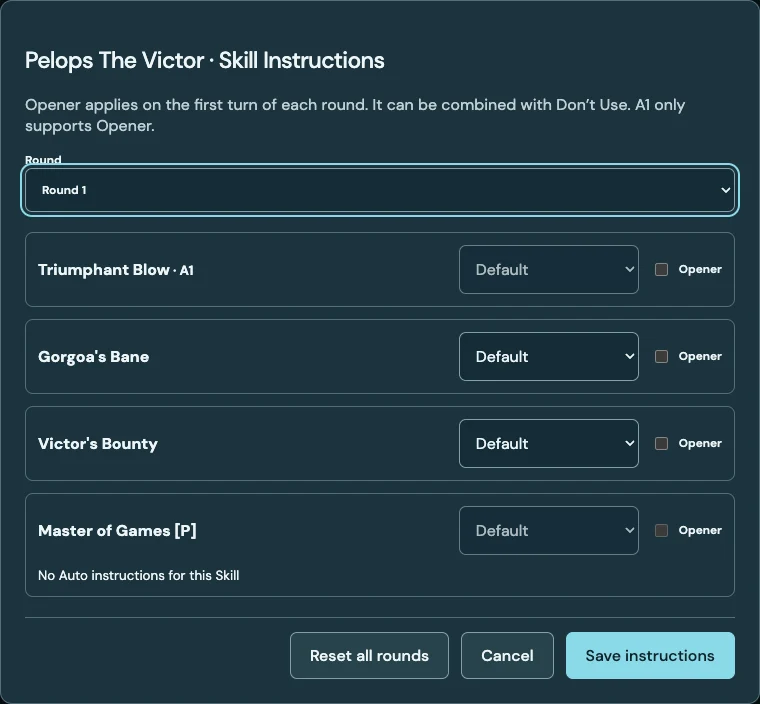
Skill Instructions
Set Auto instructions by round: choose an opener, prioritise active Skills, or stop the AI from using one.
A1 follows the game’s rule: you can make it the opener, but you cannot disable it.
Gear and Relics come from your export. Automatic team search, Gear Sim and a Relic editor are not part of this update.
Before your first run
Website build options apply only to the simulation. They do not equip items, spend resources or change your in-game Masteries and Blessings. Export again after changing your account in RAID.
Your equipped gear and progression are the starting point. You can choose a Tier 6 Mastery swap, a Blessing change or Skill Instructions for the run. Eligible Champions can also be projected to level 60 and rank 6; their existing Ascension and other upgrades stay as exported.
It depends on the fight, number of battles and queue. A short Potion Keep fight is less work than a long Hydra fight. The current default is 50 battles, with a maximum of 100. The alpha runs on a small server, so some jobs take a while.
For now, choose a complete team yourself. You can swap Champions, change the leader or order, and compare runs. Automatic roster search and gear optimisation are planned separately.
No. These are simulated battles, and this is an early alpha. A result of 20 wins out of 20 describes that sample, not a promise about your next 20 fights. Compare the results with your own battles.
An account snapshot from the exporter and a website sign-in. Use the Download Exporter link for the available builds. Never enter your RAID password on this website or post your account export publicly.